A real repair, start to finish.
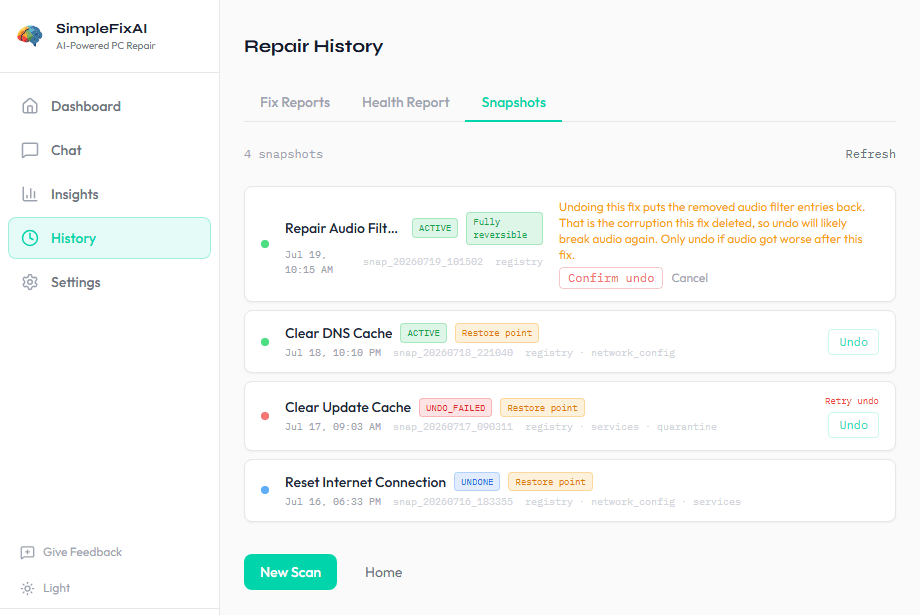
This is the actual SimpleFixAI app walking through one repair, in order. You describe the problem, it shows a plan and waits for your yes, takes a snapshot first, repairs, verifies the result, and keeps a one-click way back. When a step cannot finish, it says so plainly and changes nothing.
Scroll to watch it work.
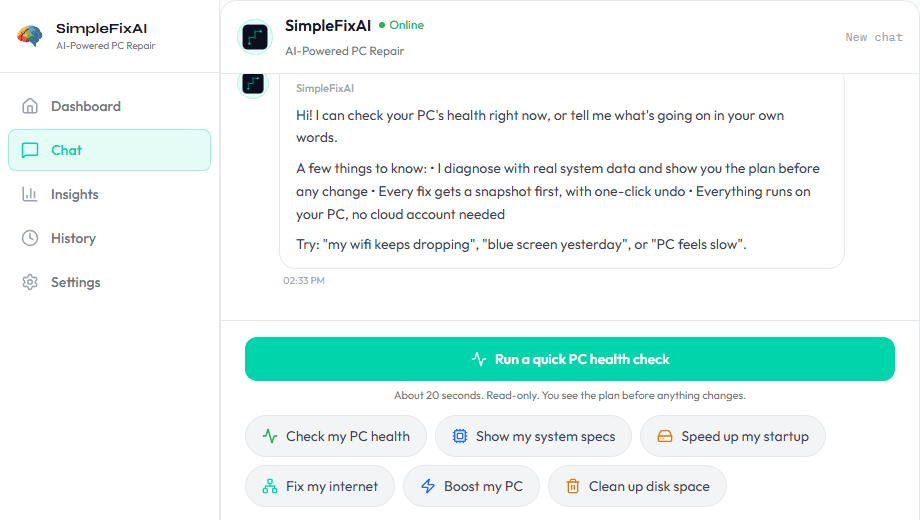
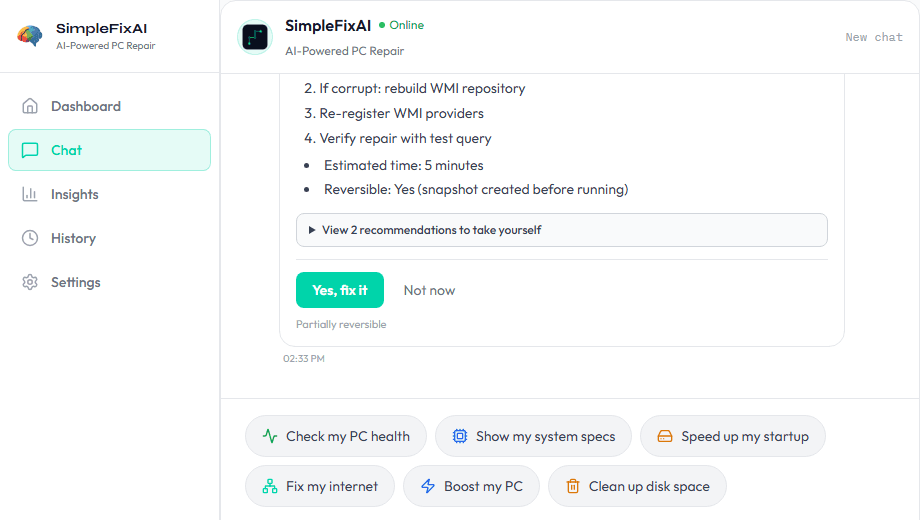
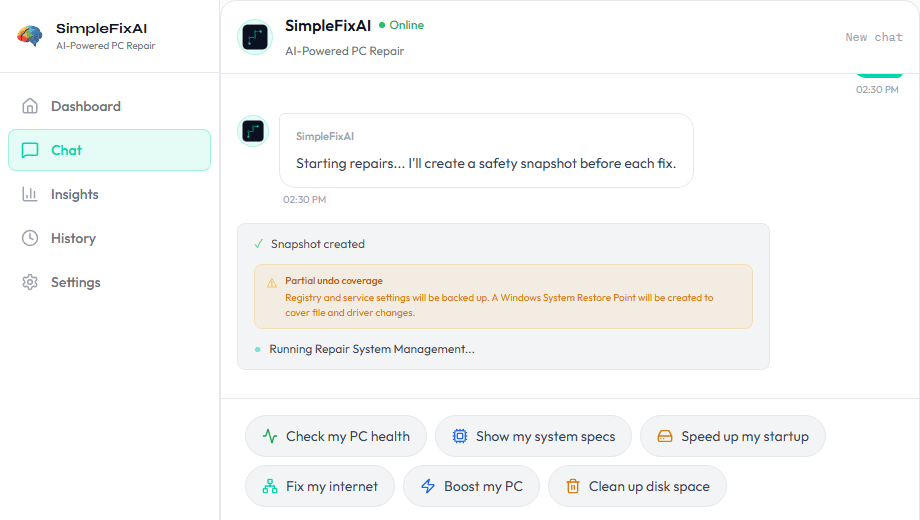
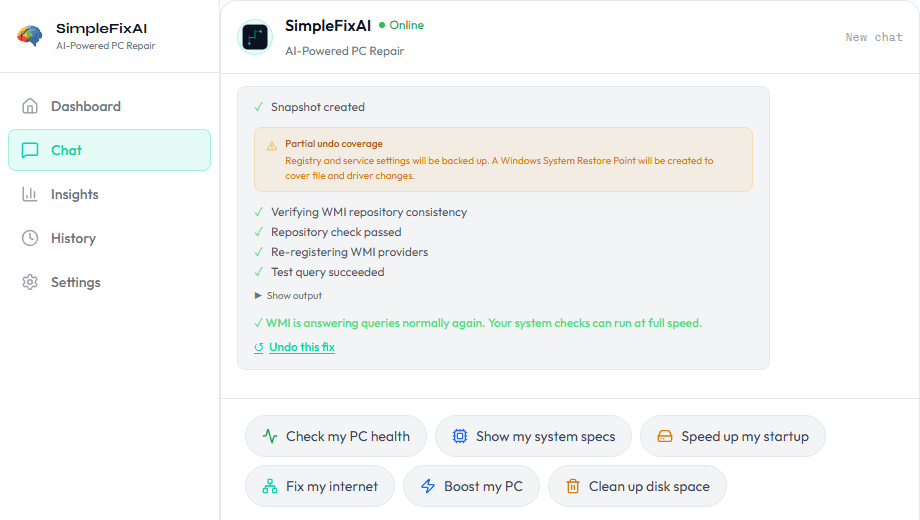
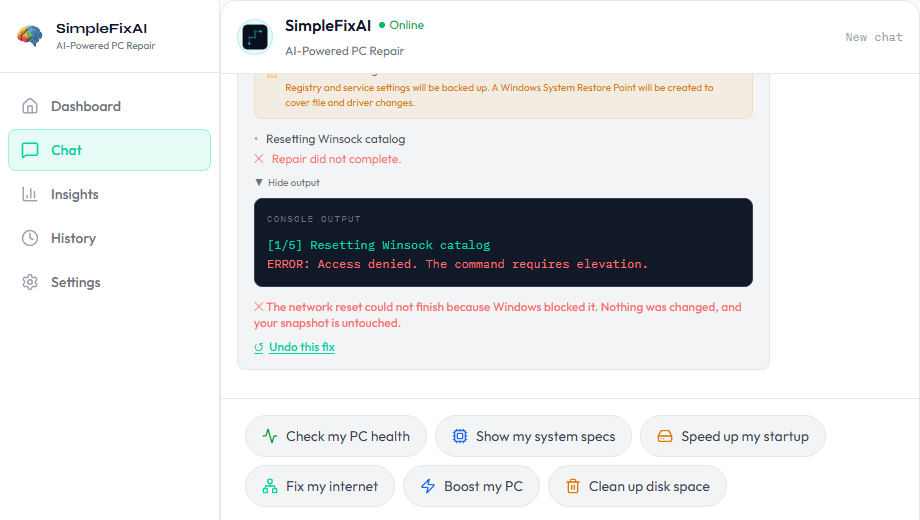
Describe the problem in plain English, and see the plan before anything changes.
Undo any repair from History, with an honest heads-up when undoing could make things worse.
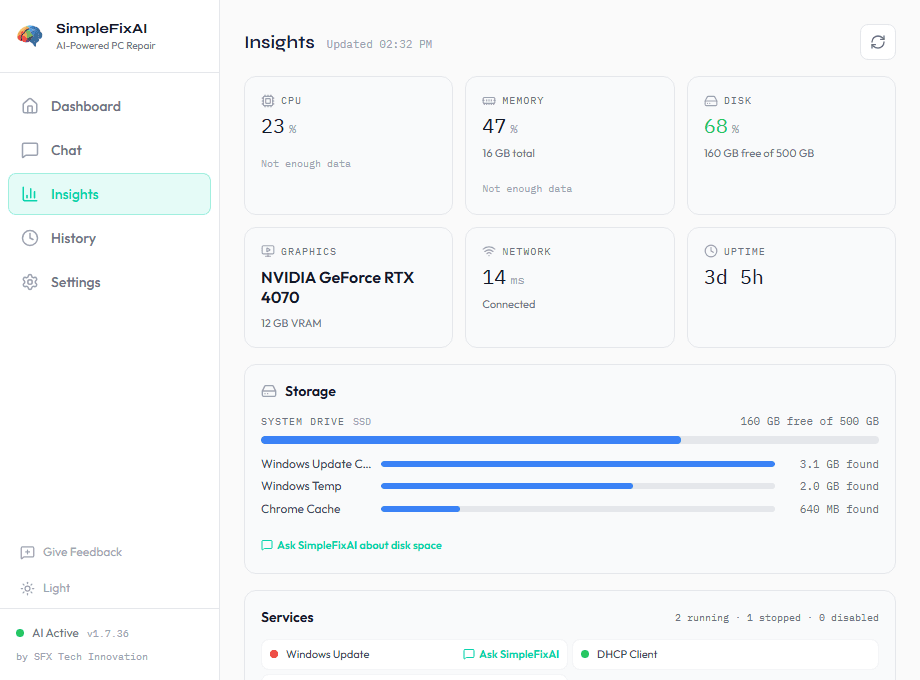
See your PC's health in plain English, with everything running on your PC.
Try it on your own PC.
Windows 10 & 11 · No signup required · Free while in public beta
Download Beta VersionFirst run shows a Windows SmartScreen notice because the beta is not code-signed yet. What to expect and how to verify the file.